Table of Contents
Element
- Create a Saved Layout.
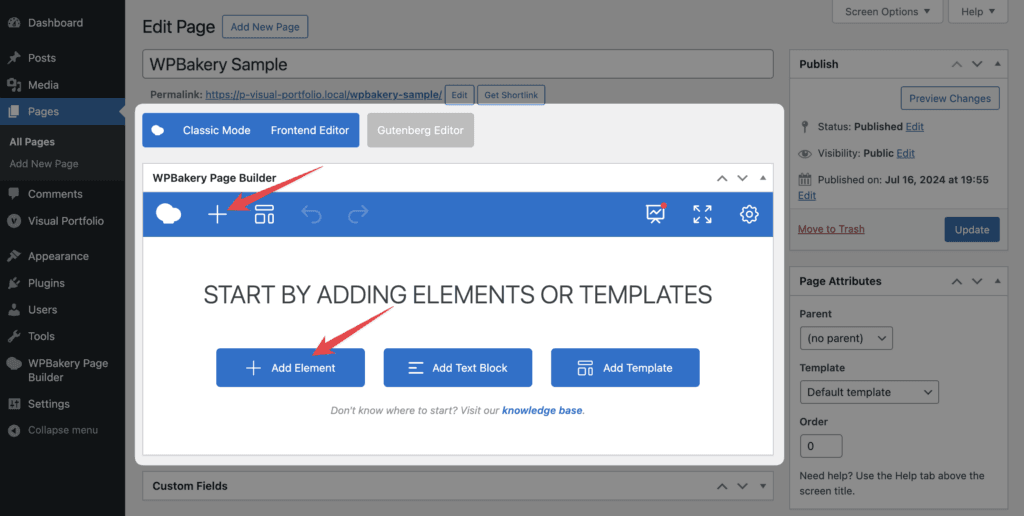
- In WPBakery, Add Element → search Visual Portfolio.
- Choose the layout in Select Layout. Custom Classes and the Design Options tab are available.
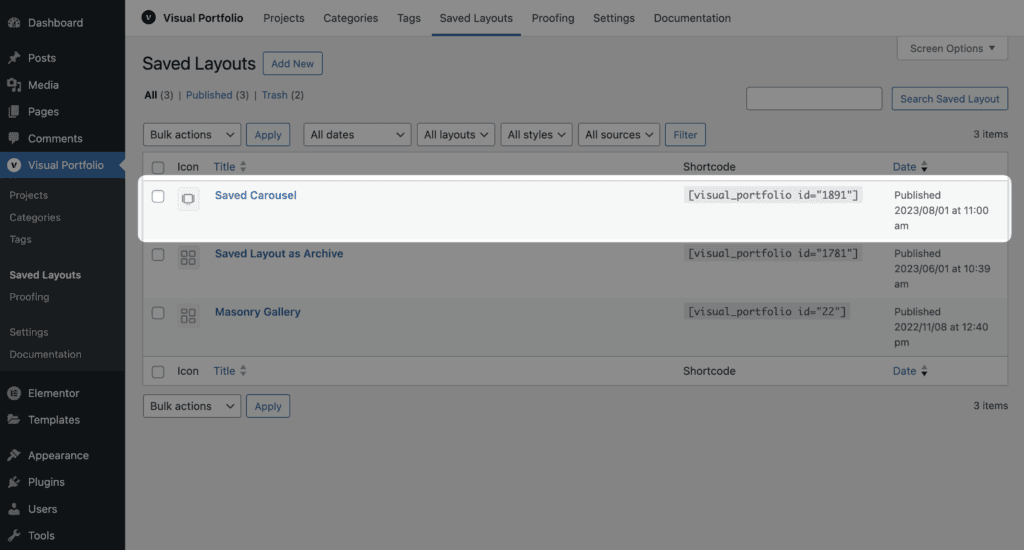
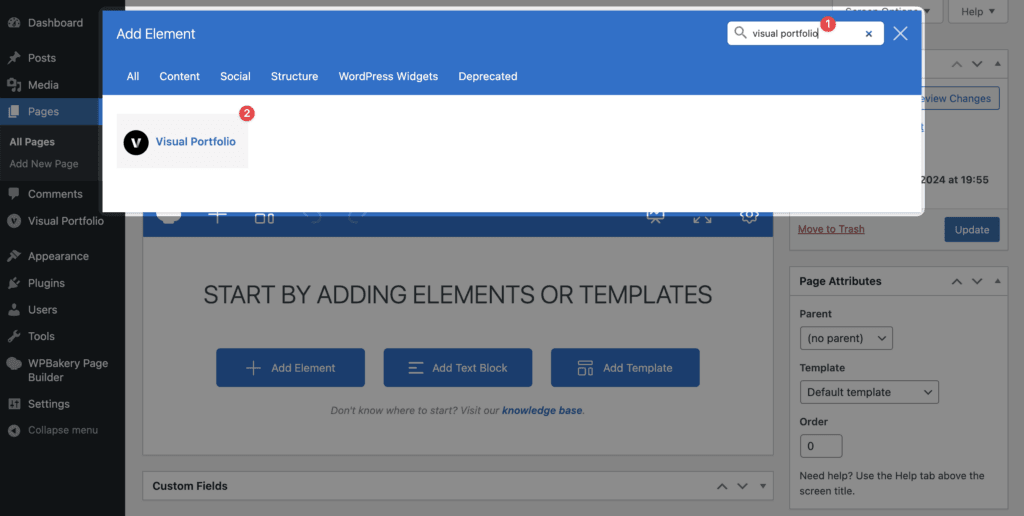
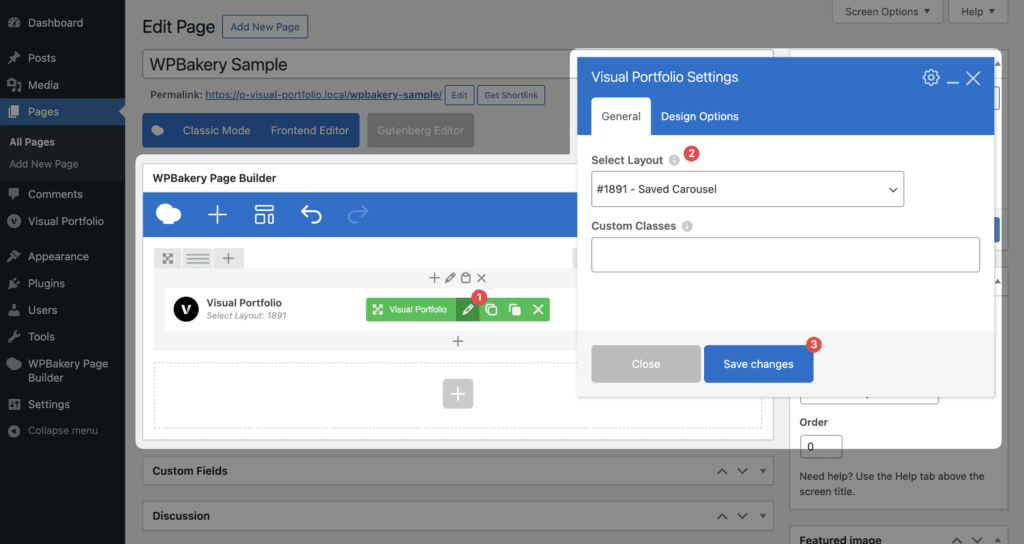
The element is the [visual_portfolio] shortcode with a picker. Its attributes are on Shortcode reference.
Edit projects with WPBakery
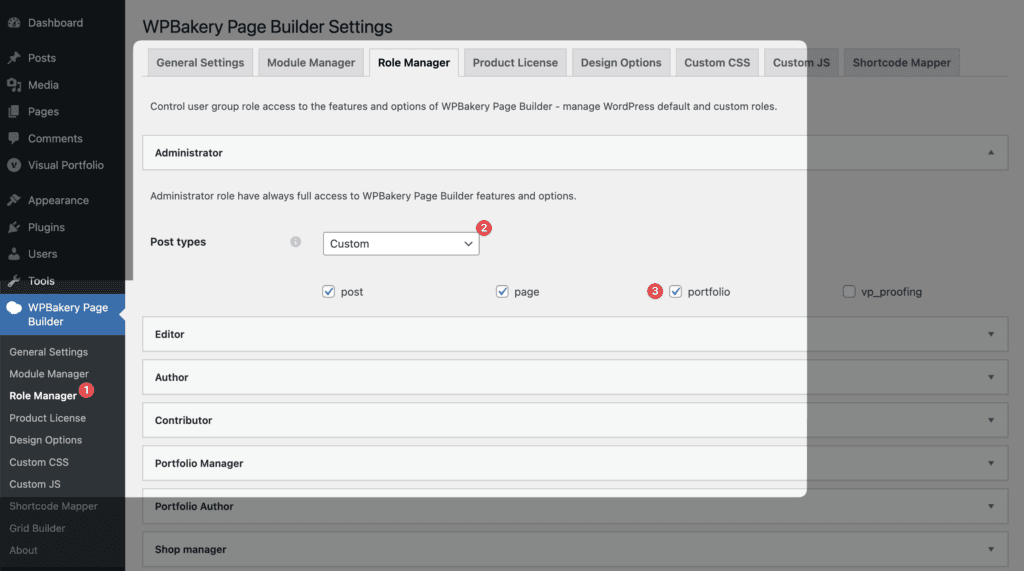
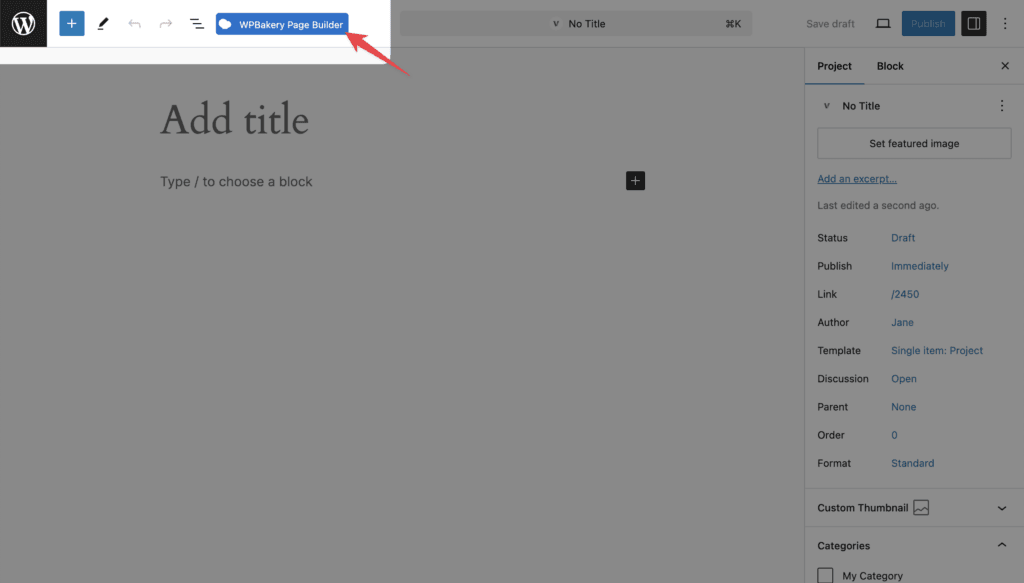
WPBakery Page Builder → Role Manager → choose the role → Post types: Custom → tick Portfolio. The Backend and Frontend editor buttons then appear on projects.