
Table of Contents
Shows the categories of the items as buttons or a dropdown. Clicking one reloads the gallery with only that category; All shows everything.
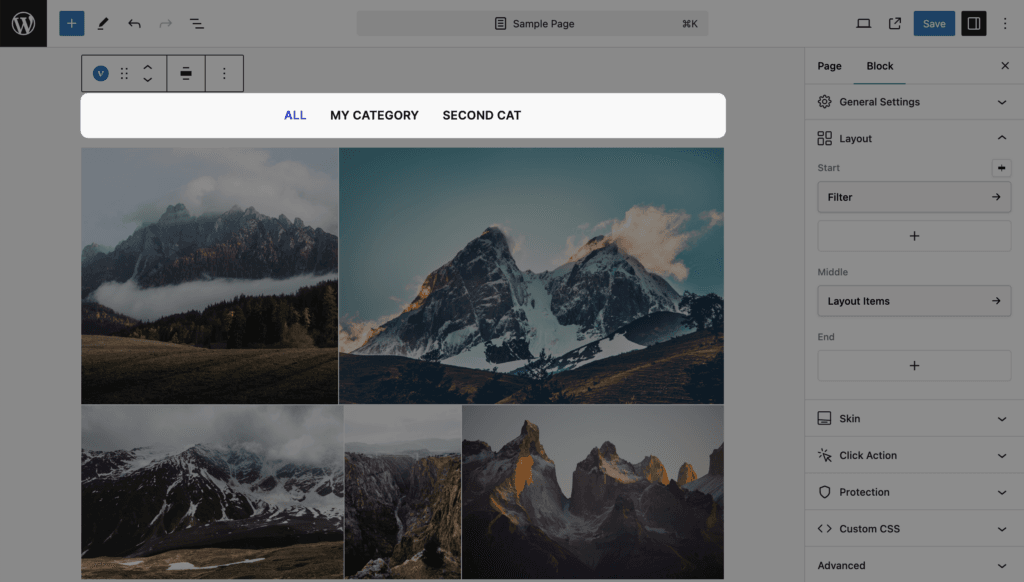
Settings
| Setting | Values | Default | Notes |
|---|---|---|---|
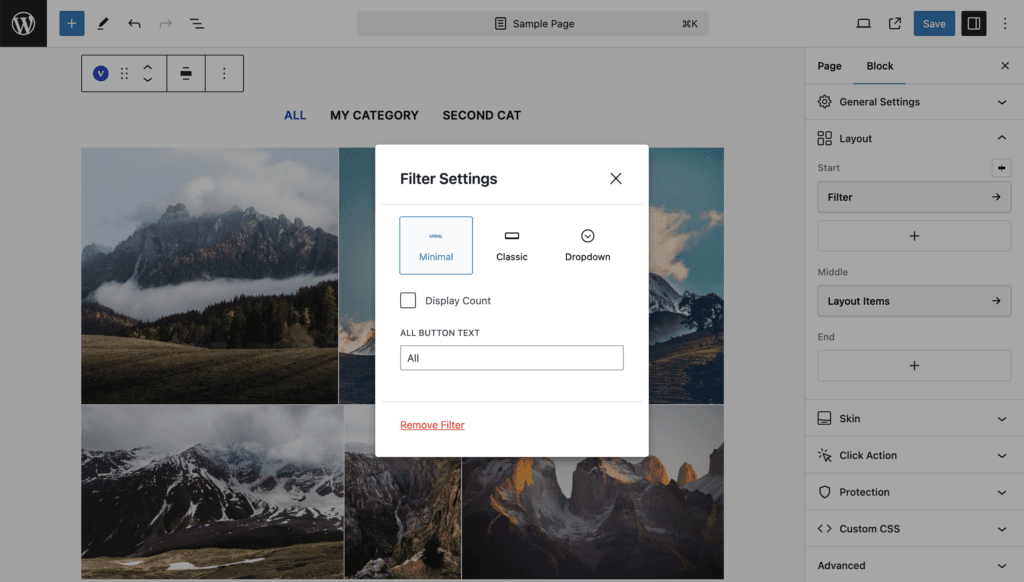
| Style | Minimal, Classic, Dropdown | Minimal | Minimal: text links. Classic: buttons. Dropdown: a select |
| Display Count | on / off | off | The number of items per category next to each name |
| All Button Text | Text | All | Clearing it removes the All item |
Where the categories come from
| Content source | Filter items |
|---|---|
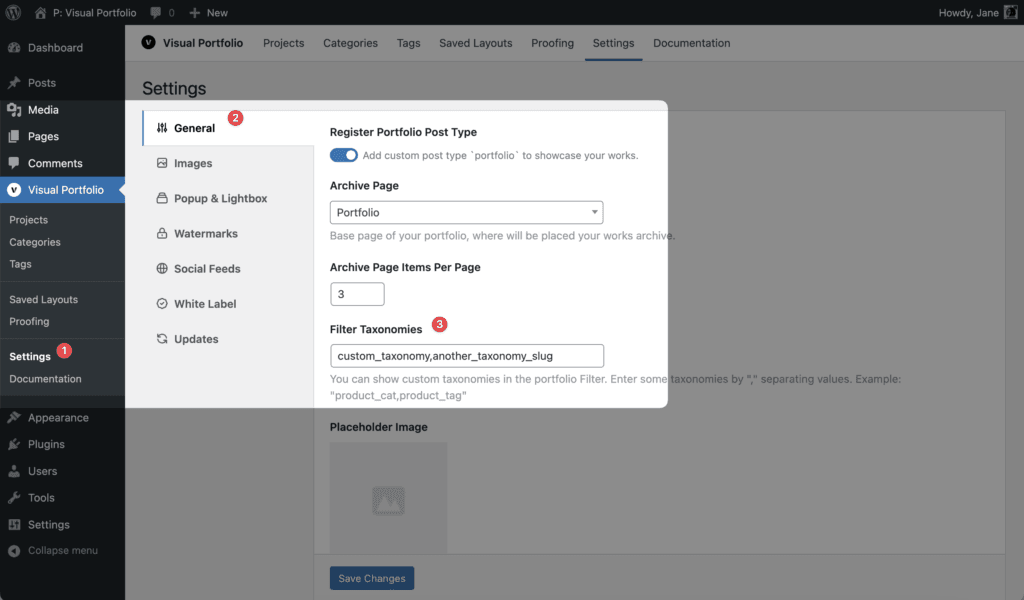
| Posts | Terms of the post type’s taxonomies whose name contains category, plus product_cat (WooCommerce) and jetpack-portfolio-type. For Projects this is Portfolio Categories. Tags and other taxonomies are added in Settings → General → Filter Taxonomies (comma-separated slugs, for example portfolio_tag,product_tag) |
| Media | The Categories typed into each image’s settings. Type a name and press Enter; the same list is offered on the other images. Categories are matched by slug, so “Cats” and “cats” are one category |
| Taxonomies (Pro) | Not supported; the filter is not printed |
| Social (Pro) | Imported items carry no categories; the filter shows only All |
Empty terms are left out. When no term qualifies, the filter is not printed at all. Term order follows the taxonomy order, so a term-ordering plugin is honored. Counts are taken from the unfiltered query of the block, so a block limited to one category counts only its own items.
Standalone filter
For page builders, [visual_portfolio_filter id="123" type="minimal" align="center" show_count="false" text_all="All"] prints the filter of Saved Layout 123 anywhere on the page. See Saved Layouts and Shortcodes.