
Table of Contents
Block settings → Layout → Layout Items. The layout decides how items are placed. Five layouts exist; each has its own settings, and all of them share the Gap settings.
| Layout | Use it for | Columns |
|---|---|---|
| Tiles (default) | A repeating pattern of tiles of different sizes, “metro” style | From the chosen pattern (1 to 4 in the presets, up to 6 with a custom pattern) |
| Masonry | Columns of images at their own aspect ratio | 1 to 5 |
| Grid | Equal columns and rows; every item cropped to the same ratio | 1 to 5 |
| Justified | Rows of the same height that fill the width, as on Flickr | none; row height instead |
| Slider | A carousel: one or several slides at a time, arrows, bullets, thumbnails | slides per view 1 to 6 |
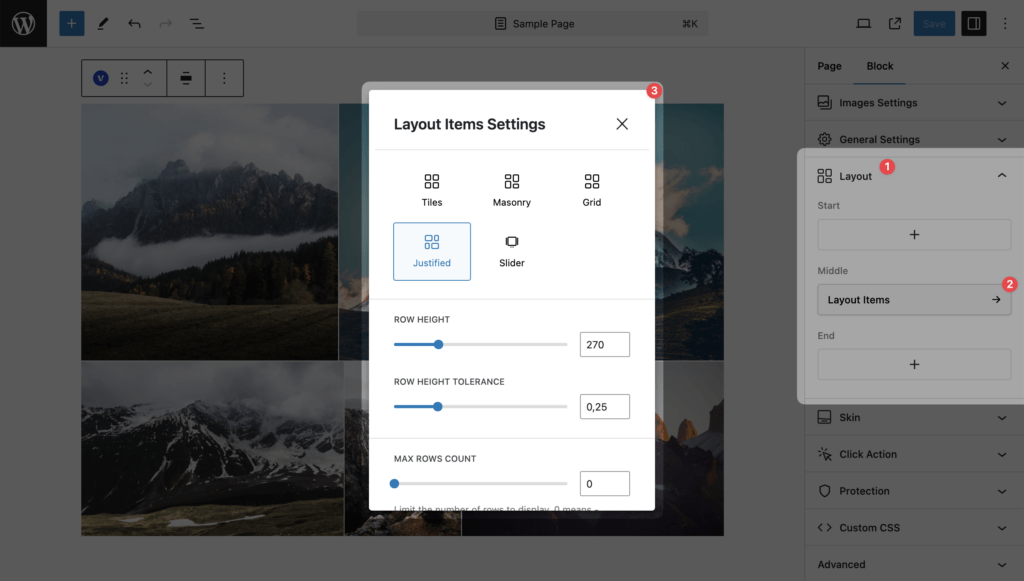
The inserter also offers each layout as a variation (“Visual Portfolio Tiles”, “Visual Portfolio Masonry”, and so on).
Gap
| Setting | Values | Default | Notes |
|---|---|---|---|
| Gap | 0 to 200 px | 15 | Space between items (between slides for Slider) |
| Vertical Gap | 0 to 200 px | empty | Space between rows when it should differ from Gap. Empty means “same as Gap”. Not available for Slider |
Columns on small screens
Column counts are for wide screens. All layouts step down on narrower screens; see Responsive behaviour for the exact widths.