
Table of Contents
Splits the gallery into pages. The page size is Items Per Page in Content Source → General Settings (default 6; “All Items” shows everything on one page and disables pagination in practice).
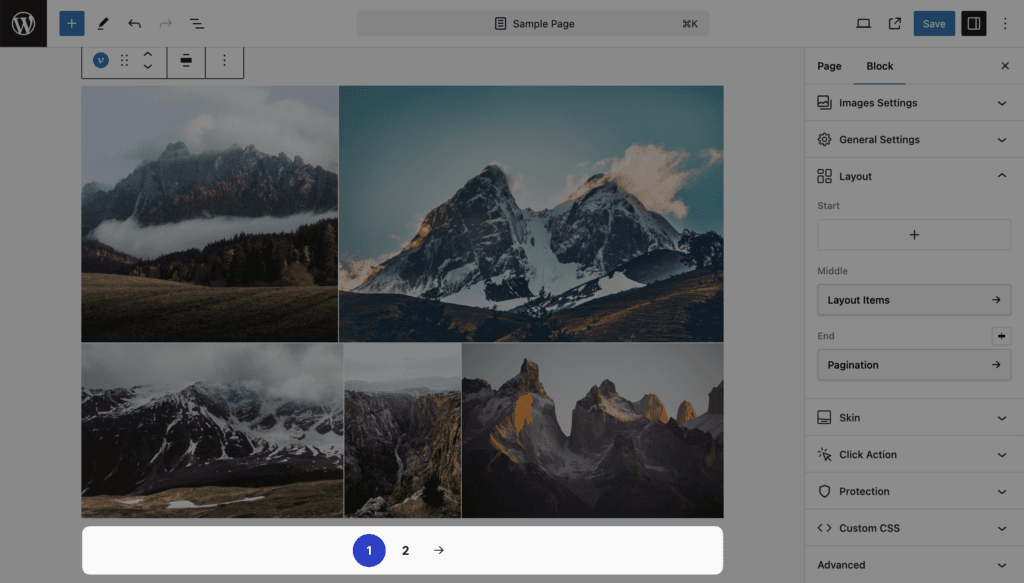
| Setting | Values | Default | Notes |
|---|---|---|---|
| Style | Minimal, Classic | Minimal | Minimal: plain numbers and links. Classic: buttons |
| Type | Paged, Load More, Infinite | Load More |
Paged
Page numbers and arrows. Each page is a URL (?vp_page=2, or /page/2/ on the Portfolio page).
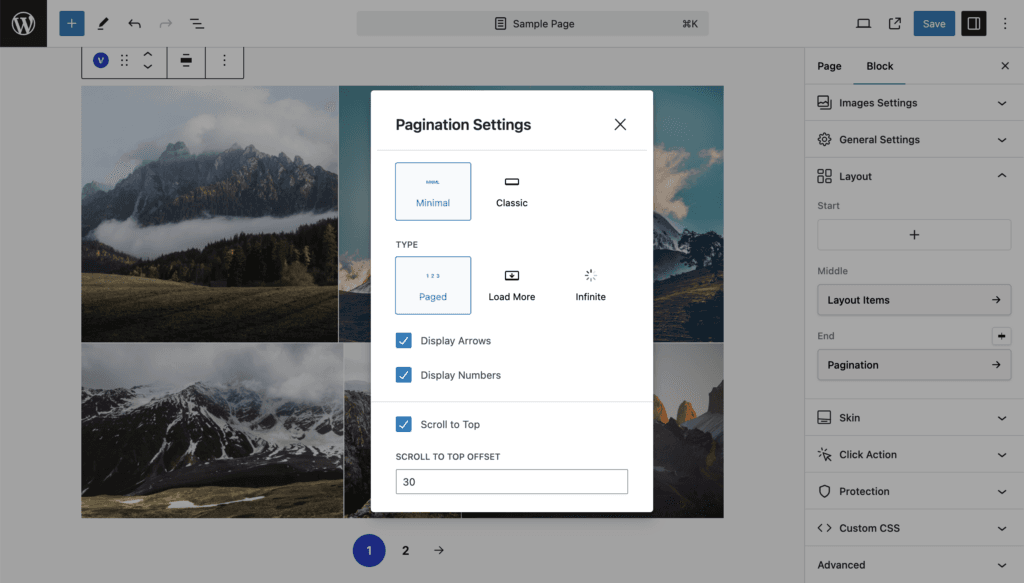
| Setting | Values | Default | Notes |
|---|---|---|---|
| Display Arrows | on / off | on | |
| Display Numbers | on / off | on | |
| Scroll to Top | on / off | on | After a page change, scroll to the top of the gallery |
| Scroll to Top Offset | px | 30 | Distance kept above the gallery, for sticky headers |
Load More
A button that appends the next page.
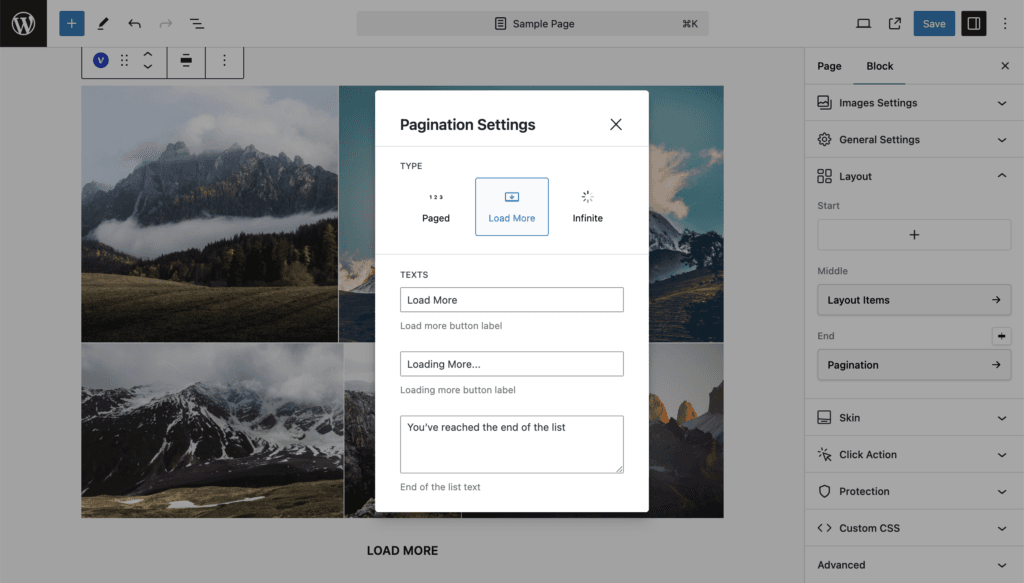
| Setting | Values | Default | Notes |
|---|---|---|---|
| Texts: button label | Text | Load More | |
| Texts: loading label | Text | Loading More… | |
| Texts: end-of-list text | Text | You’ve reached the end of the list | |
| Hide on Reached End | on / off | off | When on, the button disappears after the last page instead of showing the end-of-list text |
Infinite
The next page loads when the visitor scrolls near the end. The editor preview shows it as a Load More button; the panel says so.
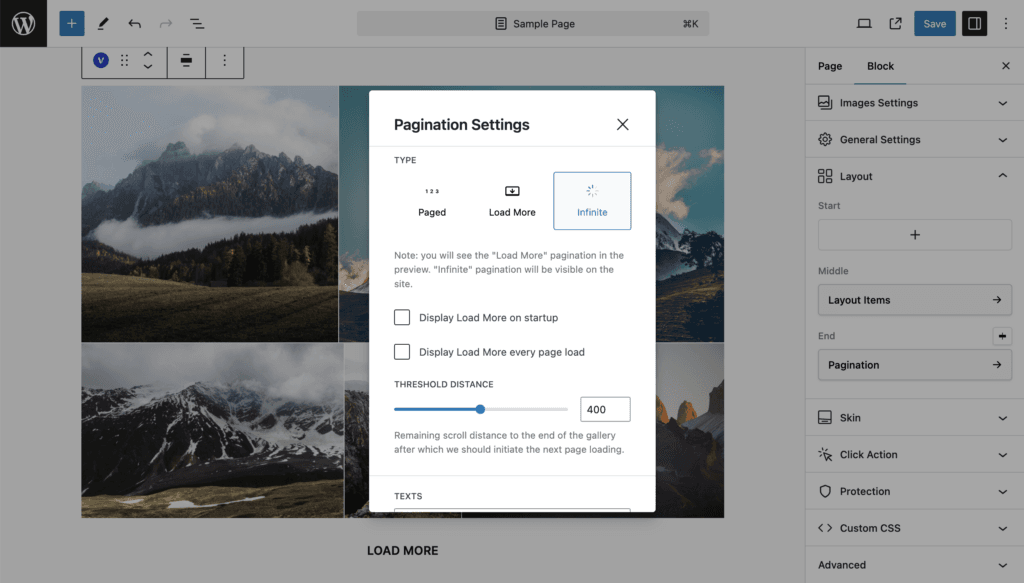
| Setting | Values | Default | Notes |
|---|---|---|---|
| Display Load More on startup (Pro) | on / off | off | Do not load automatically until the visitor clicks the button once |
| Display Load More every page load (Pro) | on / off, then 2 to 20 | off, 5 | After every N automatically loaded pages, pause and show the button |
| Threshold Distance (Pro) | 10 to 800 px | 400 | How far from the end of the gallery the next load starts |
| Texts | As Load More | ||
| Hide on Reached End | on / off | off |
Load Next Pages in the lightbox
Pro. With Load More or Infinite pagination and the Popup click action, the lightbox fetches the next page while the visitor browses: within two slides of the end, the next page is loaded and its images are appended. The counter shows N+ while more pages exist. Switch it off in Settings → Popup & Lightbox → Load Next Pages.