
Table of Contents
Visual Portfolio is a WordPress plugin for galleries and portfolios. It adds a Visual Portfolio block that shows posts, projects, images or, with Pro, taxonomy terms and social feeds in masonry, grid, tiles, justified or slider layouts, with a lightbox, filter, sort and pagination. It also adds a Project post type with categories and tags, and a Portfolio page that lists them.
Visual Portfolio Pro is an extension of the free plugin. It adds social feeds, taxonomy grids, albums, video items, proofing, watermarks and other protection, advanced click actions, skin effects and white label. Pro contains the free plugin, so it is installed as one plugin. See Free vs Pro.
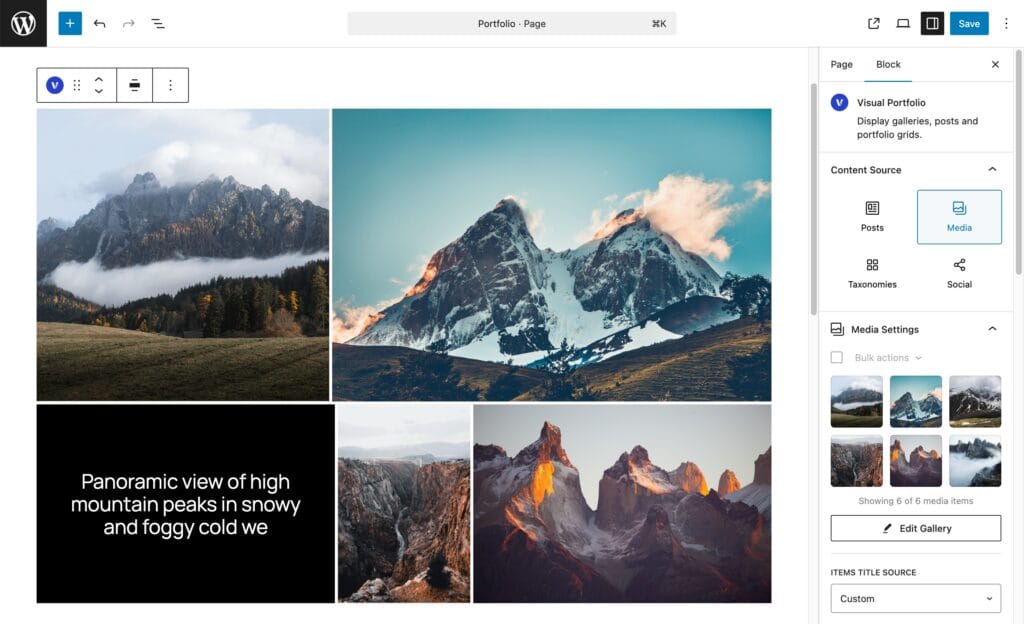
What you can build
- A portfolio: projects with categories and tags, a Portfolio page, single project pages rendered by your theme.
- Photo galleries from the Media Library, with a lightbox, categories and a filter.
- Post grids from any post type, with author, date, comments, excerpt and a Read More button.
- With Pro: Instagram, YouTube, Vimeo, Flickr, Dribbble, Unsplash, X, Twitch, VK and RSS feeds; galleries of categories or tags; album items that open a set of images; local videos that play in the grid; client proofing galleries; watermarked, password- or age-gated galleries.
The Visual Portfolio block
The Visual Portfolio block is the gallery this documentation describes. It works on WordPress 6.2 and newer, in the block editor, and through Saved Layouts in Elementor, WPBakery, the Classic Editor and any builder that accepts shortcodes.
Where to go next
Pro users: Purchasing Visual Portfolio Pro, Installing Visual Portfolio Pro, License and updates.