
Table of Contents
Pro Feature
This is a part of the Visual Portfolio Pro plugin.
Purchase the Pro plugin to access this and other advanced features.
Shows the imported posts of a connected account. Connect the account first in Settings → Social Feeds.
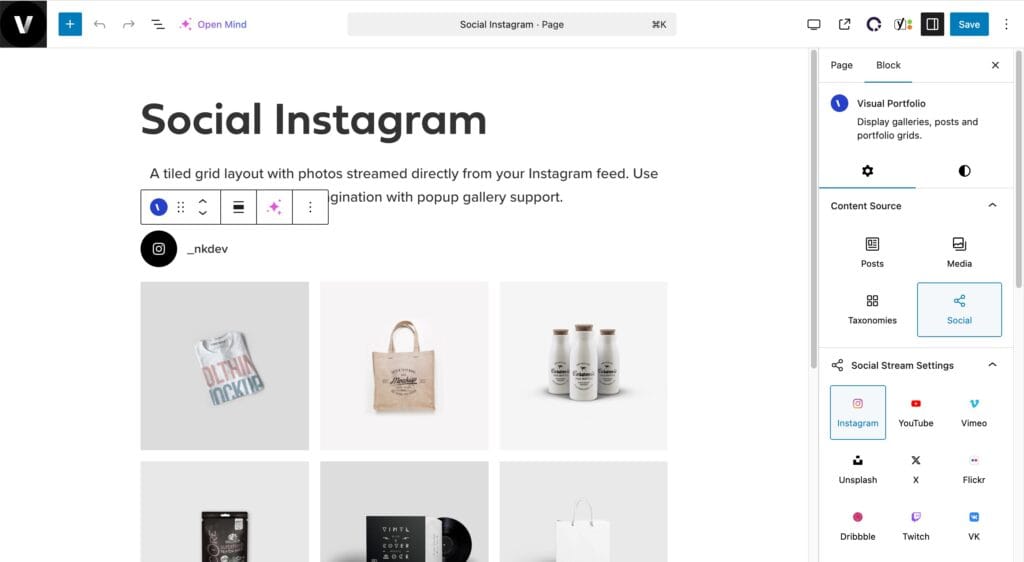
Settings
| Setting | Values | Default |
|---|---|---|
| Network | Instagram, YouTube, Vimeo, Unsplash, X, Flickr, Dribbble, Twitch, VK, RSS | |
| Account | The accounts connected for that network. Connect New Account opens the settings | |
| Display Profile, Display Profile Photo, Display Profile Name (Instagram) | on / off | on |
| Order by | Date, Title | Date |
| Order Direction | ASC, DESC | DESC |
Items Per Page applies as for other sources; All Items shows up to the account’s Max setting. The Filter element has nothing to list for social items. Display Comments Count is available for YouTube, Vimeo and Flickr; Display Views Count for YouTube and Flickr.
How the import works, what is stored and how often it refreshes: Social Feeds.