
Table of Contents
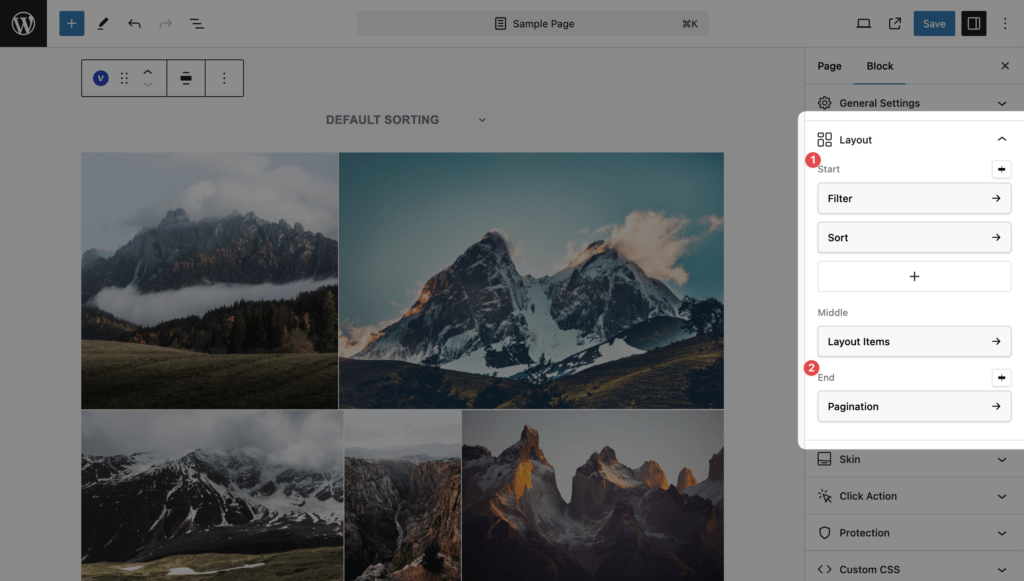
Block settings → Layout. The Layout panel has three positions:
| Position | Elements it can hold | Alignment |
|---|---|---|
| Start (above the items) | Filter, Sort, Search (Pro) | Left, Center, Right, Between |
| Middle | Layout Items (always present; opens the layout settings) | none |
| End (below the items) | Pagination | Left, Center, Right, Between |
Adding and arranging elements
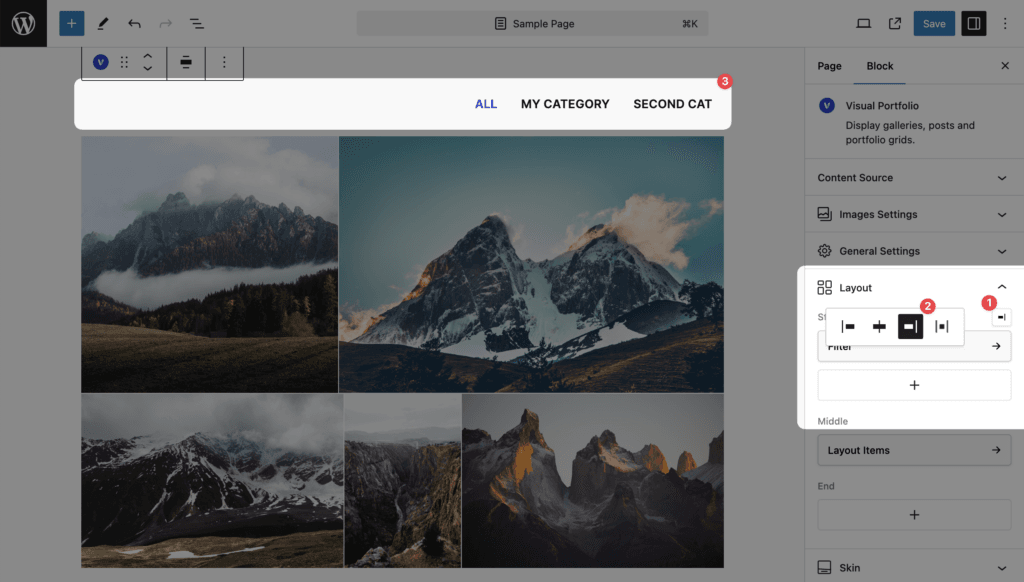
Click + in a position to add an element; click an element to open its settings in a modal. The modal ends with a Remove … link. The alignment dropdown appears once a position holds at least one element. “Between” spreads several elements over the width, for example Filter left and Sort right.
URL parameters
All four elements reload the items with AJAX without leaving the page and write their state to the address bar, so a filtered, sorted or paged view can be linked to.
| Element | URL parameter |
|---|---|
| Filter | ?vp_filter=portfolio_category:branding (Posts) or ?vp_filter=branding (Media categories) |
| Sort | ?vp_sort=title |
| Search (Pro) | ?vp_search=word |
| Pagination | ?vp_page=2 |
On the Portfolio page and on category and tag archives, filter and page parameters are rewritten to pretty URLs: /portfolio/page/2/, /portfolio-category/branding/. Sort keeps the query form. A gallery ordered randomly carries an extra vpf_random_seed parameter so pages do not repeat items.
Views with a filter, sort, search or page above 1 on ordinary pages are marked noindex, follow for search engines. The Portfolio page keeps its paged and category URLs indexable.
Faster reloads
AJAX Cache and Preload (Pro, Settings → General) makes these reloads faster: responses are cached in the browser and the next page or the hovered filter is fetched before the click.