
Table of Contents
Project and taxonomy URL structures are on WordPress → Settings → Permalinks. The sections appear when the Project post type is on and an Archive Page is set.
Optional
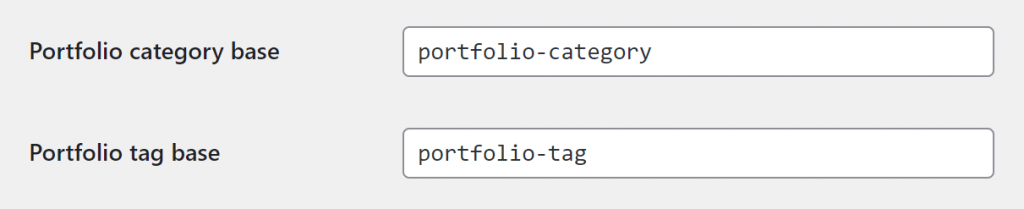
| Field | Default | Example |
|---|---|---|
| Portfolio category base | portfolio-category | /portfolio-category/branding/ |
| Portfolio tag base | portfolio-tag | /portfolio-tag/logo/ |
Portfolio permalinks
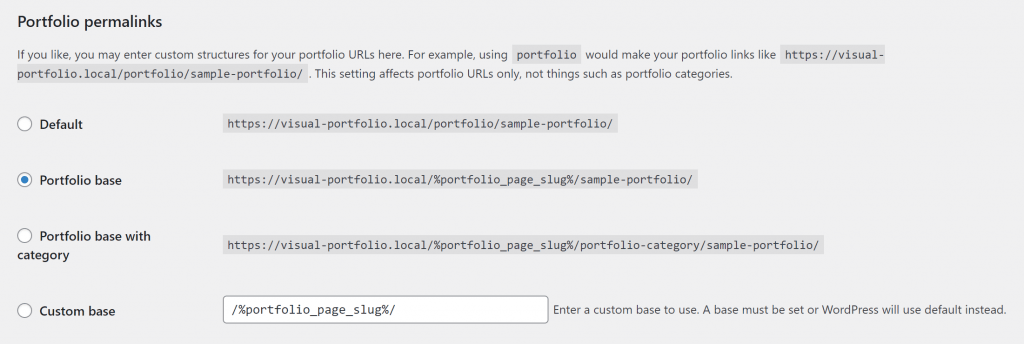
| Structure | Stored value | Example |
|---|---|---|
| Default | /portfolio/ | /portfolio/project-name/, or /?portfolio=project-name with plain permalinks |
| Portfolio base (default) | /%portfolio_page_slug%/ | /works/project-name/ when the Portfolio page slug is works |
| Portfolio base with category | /%portfolio_page_slug%/%portfolio_category%/ | /works/branding/project-name/; a project without a category gets no-portfolio_category |
| Custom base | Your text | /my-work/project-name/ |
%portfolio_page_slug% is replaced by the slug of the Archive Page, so renaming that page renames the project URLs. %portfolio_category% is the project’s (last assigned) category slug.
Rules
- The project base and the category or tag base must differ.
portfoliofor both makes WordPress unable to tell a project from a category. - Removing the bases altogether (
/project-name/,/branding/) is not supported; SEO plugins that strip category bases cause duplicate URLs and slower routing. Pages in WordPress have no base, and a project URL needs one to be distinguished from a page. - After changes, WordPress flushes the rules on save. If projects return 404 later, open this page and click Save Changes.
The Portfolio page itself uses its own page slug; see Portfolio page.